local-only · reading 7 agents’ sessions

Your coding agents,
fully instrumented.

AGANAL reads the session logs your tools already leave on disk and turns them into metrics — tokens, tool calls, context pressure, retries — for every agent, on one screen.

free & open source · macOS 14+ · Apple Silicon & Intel · nothing leaves your Mac

AGANAL on Product Hunt Live on Product Hunt AGANAL — agentic sessions analysis Come say hi & leave feedback
0events
0tool calls
0output tokens
0of 1M context
0agents

A narrated tour — dashboard · events · raw JSONL · CLI · agent hand-off

One lens for every agent.

// sources
Claude Code
~/.claude/projects
Codex
~/.codex/sessions
Gemini CLI
~/.gemini/tmp/**/chats
Qwen Code
~/.qwen/tmp/**/chats
Cursor
~/.cursor/**/agent-transcripts
opencode
opencode.db · SQLite
Antigravity
~/.gemini/antigravity-cli
Any directory
**/*.jsonl

Every session, measured.

// views

The whole run as a dashboard, a filterable event stream, and the raw record — plus a one-click prompt (and a CLI) to hand it to an agent.

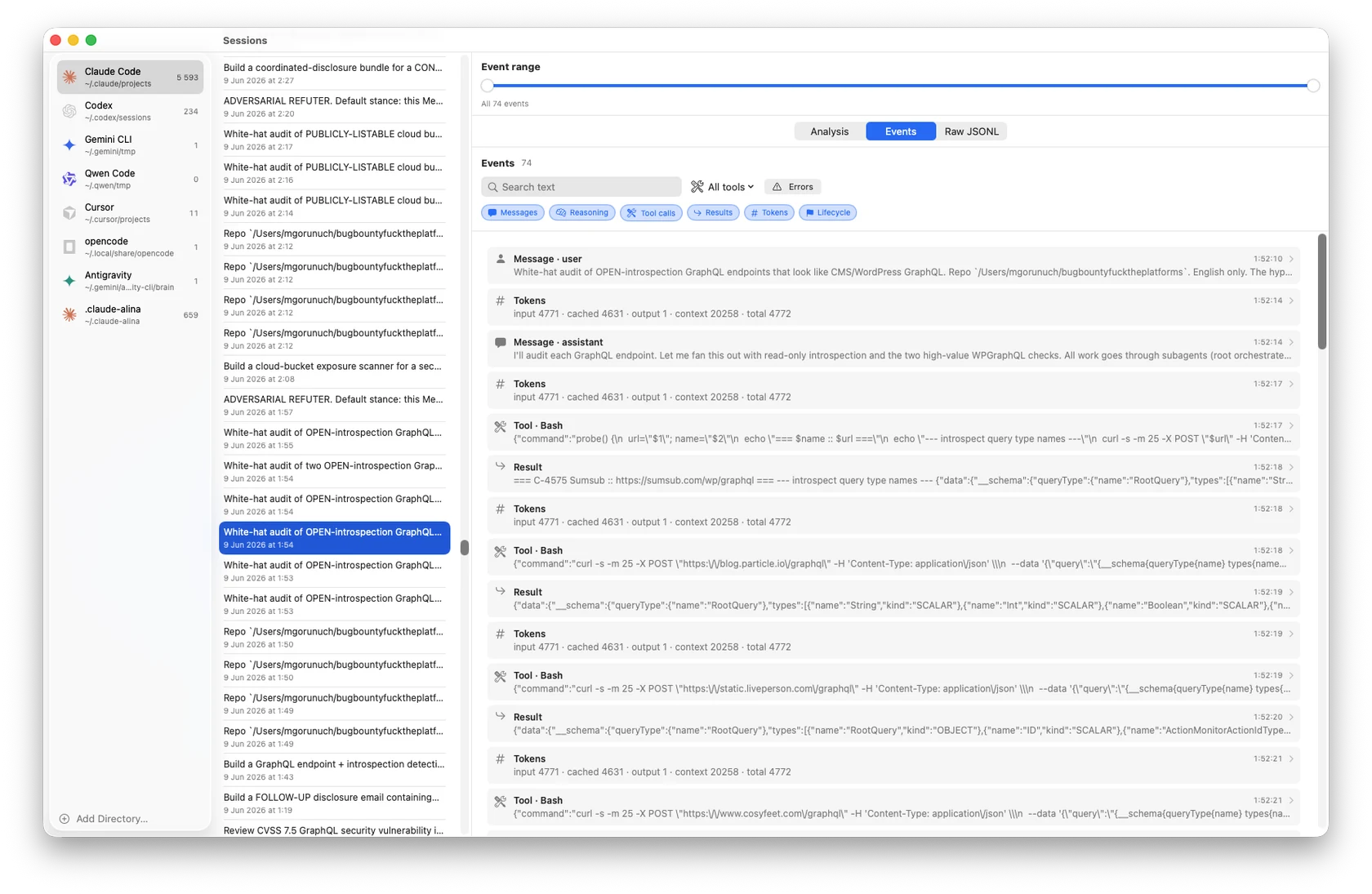
AGANAL Events view: a filterable stream of messages, reasoning, tool calls, results and per-turn token usage for a Claude Code session, with search, a tool filter, an errors filter and an event-range slider.
events

Every event, filtered

Scrub the run as a stream — messages, reasoning, tool calls and their results (paired by id), token usage per turn, lifecycle. Filter by type, search the text, jump to errors, or drag the event-range slider down to a single slice.

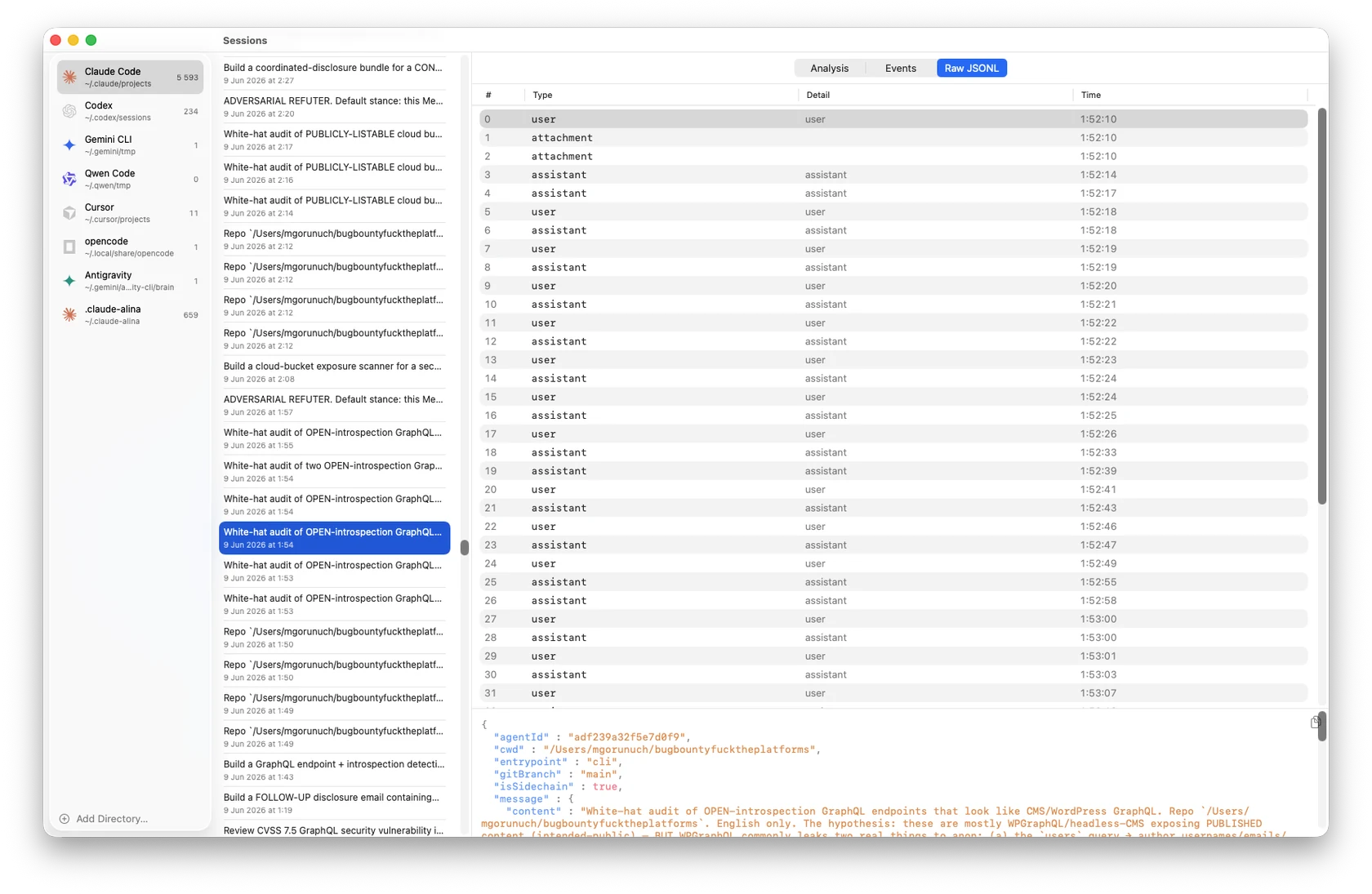
AGANAL Raw JSONL view: every line of the session as a typed table, with the exact underlying record shown and syntax-highlighted.
raw jsonl

Down to the raw record

When you want the ground truth, drop to Raw JSONL: every line as a typed row — user, assistant, attachment, tool — and the exact record behind whatever you select, syntax-highlighted.

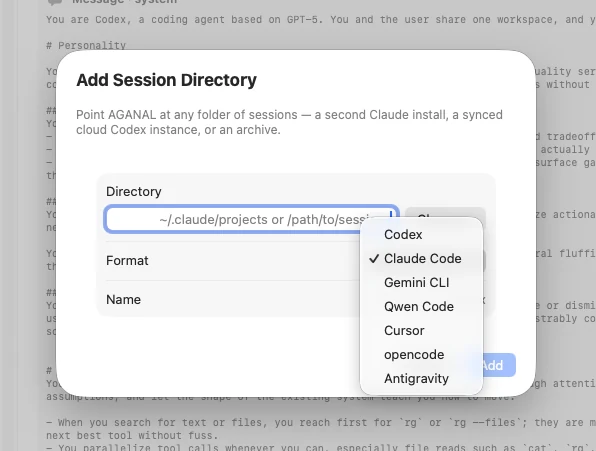
AGANAL Add Session Directory sheet with a Format picker listing Codex, Claude Code, Gemini CLI, Qwen Code, Cursor, opencode and Antigravity.
any source

Point it at any folder

A second Claude install, a synced cloud Codex instance, an archive — point AGANAL at the folder, choose the format (Claude Code, Codex, Gemini CLI, Qwen Code, Cursor, opencode or Antigravity), and it reads straight into the same model.

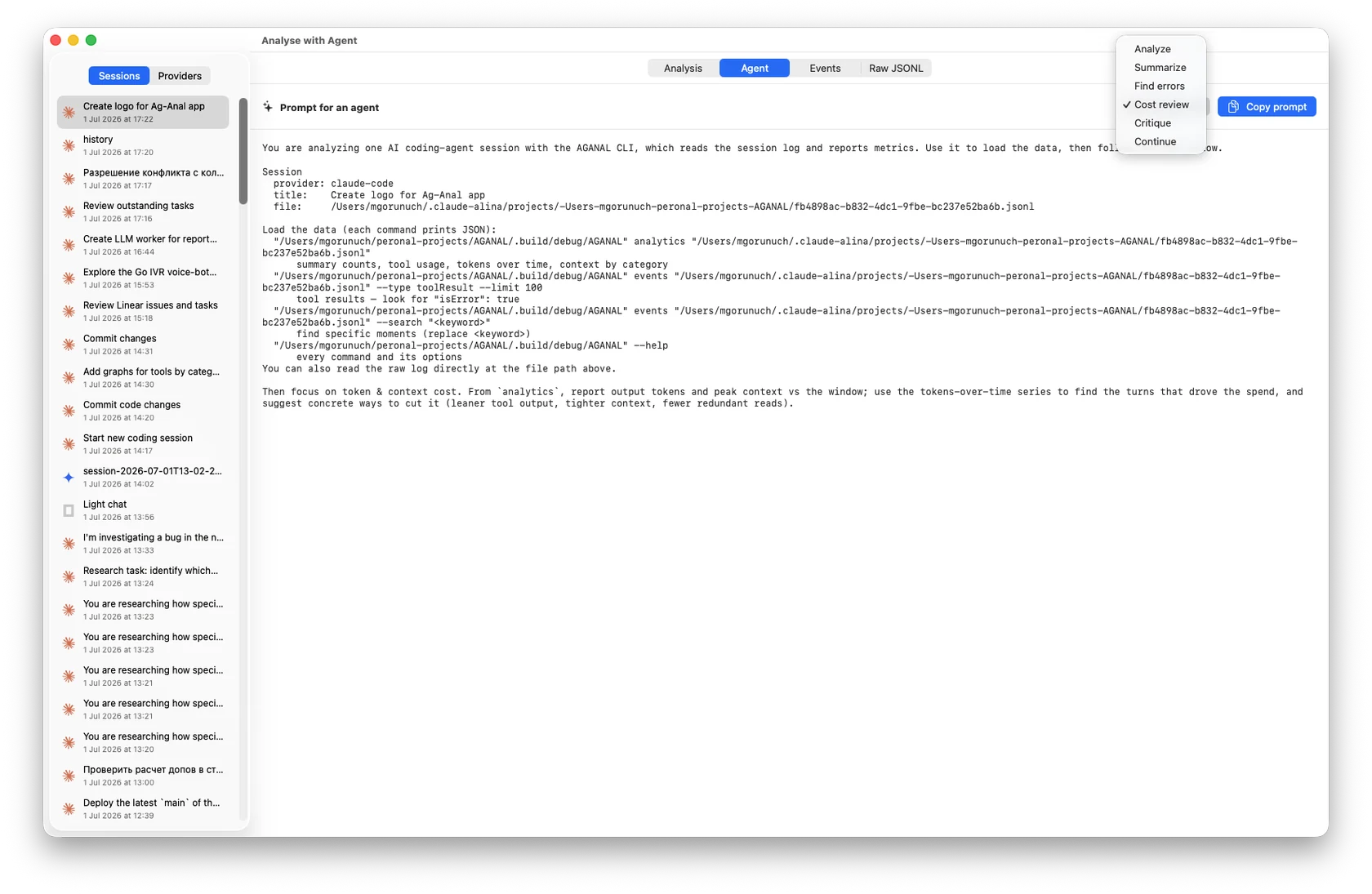
AGANAL 'Analyse with Agent' tab: a ready-to-paste prompt for a session, with the prompt-kind menu open (Analyze, Summarize, Find errors, Cost review, Critique, Continue) and a Copy prompt button.
hand-off

Hand it to an agent

Turn any session into a ready-to-paste prompt — pick a kind (Analyze, Find errors, Cost review, Critique, Continue) and it fills in the session plus the aganal commands. Or drive the CLI yourself — aganal analytics <path>, events, search — JSON an agent can load and reason over.

Runs in one command.

// setup
$ git clone https://github.com/the-ihor/aganal
$ cd aganal && swift run
 discovering sessions… 7 sources · 214 sessions
 building normalized model…
 ready. opening AGANAL ✦
01

Clone & run

No installer, no account. swift run builds the native app.

02

Pick a source

Your agents are auto-discovered — or drop in any directory of logs.

03

Read the run

Charts, tool calls, context and every event — from files already on disk.

// privacy

Everything runs on your machine.

AGANAL reads the logs your tools already wrote to disk and computes every metric locally. Nothing is uploaded, there’s no account, and there’s no telemetry — it works fully offline.

no account no upload no telemetry offline-capable reads local files only

Questions, answered.

// faq
Is AGANAL private? Does my data leave my Mac?
Yes. AGANAL only reads the session logs your agent tools already wrote to disk, and all analysis runs locally on your Mac. There’s no account, nothing is uploaded, and there’s no telemetry.
Which agents and tools does it support?
Claude Code, OpenAI Codex, Gemini CLI, Qwen Code, Cursor agents, opencode, and Google Antigravity — each normalized into one shared session model. You can also point AGANAL at any custom directory of session files.
What can AGANAL show me?
Three views over each session: an Analysis dashboard (stat tiles, a tool-usage ranking, tokens over time — cumulative or per turn — and a context-by-category stacked chart), an Events stream you can filter and search, and a Raw JSONL view down to the underlying record.
What are the system requirements?
macOS 14 or later. AGANAL is a native Swift & SwiftUI app.
Is it free and open source?
Yes. AGANAL is free and open source. Clone the repository and run it with a single Swift command.
// free & open source

Get AGANAL.

macOS 14+ · Apple Silicon & Intel · notarized · free forever